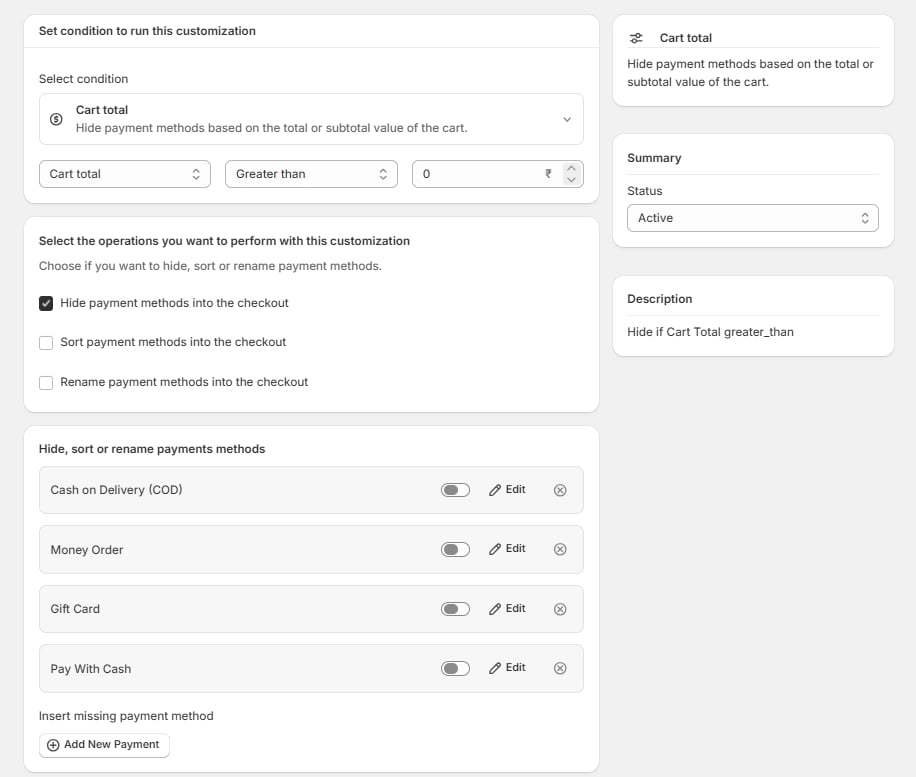
Hide payment methods into the checkout
Removes the method from checkout when the condition matches. The commonest action by far. Uses: blocking Cash on Delivery above a value threshold, restricting bank transfer to B2B, removing methods your gateway does not support in a given country.Sort payment methods into the checkout
Reorders the list. The method you want chosen most often should be first — position drives selection more than most merchants expect. Edit on a method opens its priority setting. Lower priority sorts higher. Methods you do not give a priority keep Shopify’s default ordering, below the ones you have positioned. Uses: promoting your cheapest-to-process method, putting the locally familiar method first in each country zone.Rename payment methods into the checkout
Replaces the label shown to the customer. Edit on a method opens the field for the new name. Uses: turning Money Order into Pay by cheque, clarifying Bank Deposit as Bank transfer (2–3 working days), localising a label per country zone.Renaming changes the label, not the method. Reports, payouts, and order records still show the underlying gateway name.
Methods that render as a logo
Some methods — PayPal is the usual example — are drawn by Shopify as a brand logo rather than as text. There is no text for the app to replace, so renaming has no visible effect. This is a checkout rendering behaviour, not an app limitation.Per-method settings
Edit opens whatever applies to the operations you have ticked: the new label if renaming, the priority if sorting. Set them per method, and — in the Organizers — per zone, so the same method can be named and positioned differently in different countries.Insert missing payment method
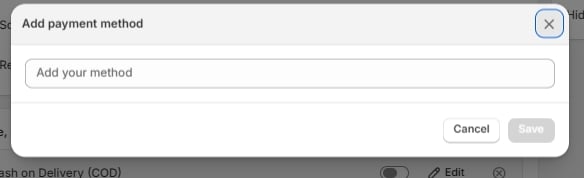
Below the list sits Insert missing payment method with an Add payment method button.